Anyone can make a beautiful website.
Build visually with drag-and-drop sections, 35+ content blocks, responsive controls, and 96+ editable starter designs—no coding required.
BUILDER · MADE TO FEEL APPROACHABLETHE SELF-HOSTED 84PAD CMS
FREE FOREVER · THE COMPLETE 84PAD CMS
You deserve a website—and a simple way to make it. Design visually, start with a polished layout, and shape every detail with the complete 84Pad CMS, free for life.
FREE FOR LIFE · NO SUBSCRIPTION
84Pad Core, Studio, Builder, every first-party tool, and all eight built-in themes will always be free to download and use. No 84Pad subscription, plugin fees, or theme fees.
Get the free Core framework ↓Start with the visual Builder, then use the first-party tools already integrated into Core.
Deploy on a compatible host you choose and keep the site data in your own environment.
Choose a built-in theme, then adjust its design tokens and page layouts in Studio.
The complete 84Pad CMS stays free: Core, Studio, Builder, all first-party tools, and every built-in theme.
Thinking of switching from WordPress? 84Pad is a separate CMS: WordPress themes and plugins do not transfer, so plan to recreate your design and move content. Compare the current features and hosting requirements before switching.
01 / THE CMS
The 84Pad CMS is made of 84Pad Core and Studio, the visual Builder, official first-party plugins, and editable themes. Core manages your workspace and publishing; each other part gives you a different way to build and run your site.
SCROLL TO SEE THE SYSTEM ASSEMBLECORE + BUILDER + TOOLS + DESIGN
Compose full pages with the visual Builder, responsive controls, reusable sections, and a library of starter designs. Continue editing every part after you start.
Explore Builder Suite ↗Manage pages from Studio, keep a revision history, update metadata, and publish with a clean public page. Your content stays in your own workspace.
See how it works ↗84Pad is software you deploy on hosting you control. Download Core, deploy the API and public site, and keep your own data and domain.
02 / THE TOOLKIT
Explore the features, permissions, and official signed .pad download for every first-party 84Pad plugin.
A TOOL IN FOCUS
Explore a first-party 84Pad tool and the features it brings to your Core workspace.
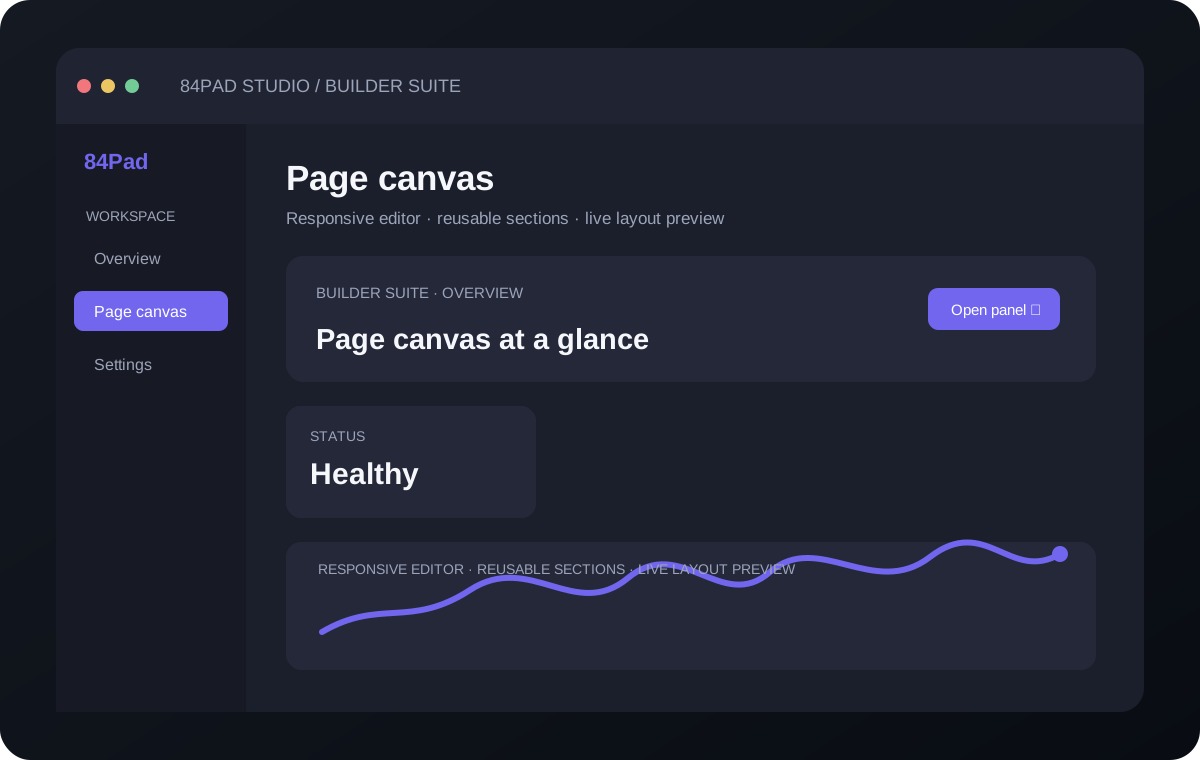 PRODUCT INTERFACE PREVIEW
Loading the current first-party catalog…
ⓘ Download official plugins individually as signed .pad files, or use the included versions from 84Pad Core.
03 / THE DESIGN SYSTEMS
Pick a visual direction that fits. Each built-in theme includes editable design tokens for color, type, content width, and corners.
Loading the official theme collection…
All eight design systems come built into 84Pad Core. Choose one in Studio, then adjust its design tokens to fit your brand.
INCLUDED IN CORE04 / YOUR DOWNLOAD
Get the current official 84Pad Core release from the 84Pad update service. The official Core release is distributed through the update service. Optional plugins and themes may have separate versioned packages.
05 / GETTING STARTED
The official site distributes the 84Pad Core framework. Deploy it on your own hosting, then connect the public website to its API.
Download the single Core ZIP. Install the Core package first, then add compatible plugins and themes as separately distributed components.
ONE CORE DOWNLOADUse PHP 8.3 or 8.4 with MySQL/MariaDB and required PHP extensions. Follow the setup documentation provided with your exact Core release; keep credentials and private application files outside the public web root.
PHP 8.3/8.4 · MYSQL/MARIADB · HTTPSUpload and extract the official PHP Core distribution, verify its included installer instructions, configure an empty database securely and complete the owner setup over HTTPS. Use the matching release documentation before going live.
PRIVATE OWNER SETUP · HTTPSCompatible cPanel hosting. 84PAD is not tied to a hosting brand. Check PHP 8.3/8.4, required extensions, MySQL/MariaDB, HTTPS, filesystem permissions and your provider’s cPanel features before installing. SSL issuance and API availability depend on the individual server configuration.
06 / A SIMPLER INSTALL · PLANNED
The planned installer is designed to turn the first setup into a guided website-building flow. Choose your setup route, shape the look, and pick the tools you want before opening your site.
Use a cPanel API token to create a database automatically, or enter your database name, username, password, and host yourself.
Add a site title, tagline, and website category. Upload a logo now or add it later from site settings.
Browse 96 editable Builder designs across 32 categories—three designs in each. Pick a template, choose a color style, then keep editing it in Builder.
Review each tool in plain language and enable the ones that fit your site. The planned essentials include Builder for design, SSL tools for certificates, Backup for page and catalog safe points, and Search Essentials for SEO settings.
After setup, the plan is to show two clear links: one for the Studio admin dashboard and one for the public website created from your choices.
The flow above describes the planned experience. Database provisioning, template setup, plugin selection, and direct domain-root publishing still need to be implemented in Core.
07 / GOOD TO KNOW
84Pad software stays free for life. Use a PHP/MySQL-compatible cPanel hosting account from your preferred provider.
The PHP Core staging preview uses a guided setup process but is not yet approved as a public production release. Follow the specific signed package’s installation instructions on compatible PHP/MySQL hosting.
No. 84Pad Core, Studio, Builder, first-party tools, and built-in themes are free for life. Your domain and hosting provider are your choice; hosting charges may apply.
No. This is the separate official showcase and Core download site. The CMS app, Studio, and Builder are in the Core framework you deploy on your own hosting.
No. 84Pad is its own CMS framework. 84PAD uses its own versioned plugin and theme contracts; WordPress packages are not directly compatible.
84PAD plugins are separate installable components. A package may contain trusted PHP code, so install only packages signed by publishers you trust. The Core checks package signatures and compatibility before installation; a signature does not make third-party code harmless.
Storefront currently manages and displays a product catalog. Cart, checkout, tax, and payment processing are not included in this release.
84Pad can monitor public certificate status. Certificate issuance and automatic renewal need a supported server and proxy deployment hook. On cPanel hosting, certificate issuance and renewal depend on the host’s supported AutoSSL and API configuration.
84Pad is self-hosted software, not a hosted website-builder account. Install Core on compatible hosting. Choose any cPanel provider meeting the PHP, database, extension and HTTPS requirements in your exact Core release.
08 / THE TEAM BEHIND 84PAD
84Pad is developed by ParmTech, a Sydney-based digital studio founded in 2016. ParmTech builds websites and applications, plugins, automation tools, and AI integrations for businesses.
Ideas into useful digital systems.